Practical Payroll Automation Tips to Meet Employer Responsibilities Efficiently
Practical payroll automation tips help Australian businesses simplify compliance, reduce costly errors, and fulfil your employer responsibilities with confidence. Managing payroll manually can feel overwhelming when you’re juggling Single Touch Payroll reporting, superannuation contributions, PAYG withholding, and record-keeping while growing your business.
With the superannuation guarantee rate now at 12% from 1 July 2025 and intentional wage underpayment (wage theft) a criminal offence from 1 January 2025, staying up to date with payroll is crucial for any employer or business owner. Automation takes the stress out of compliance, saving you time and reducing the risk of significant penalties.
What Are Your Core Employer Responsibilities in Australia?
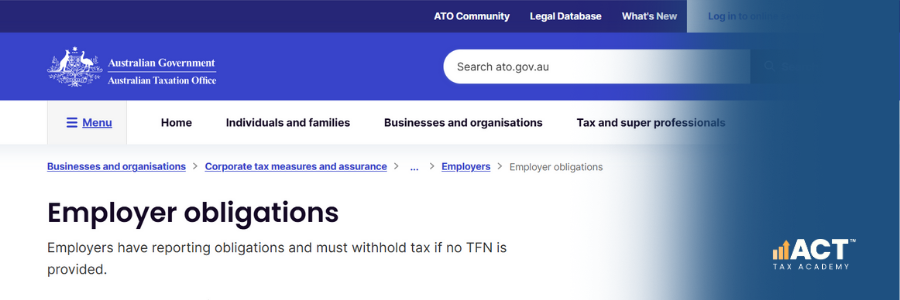
As an employer or business owner, you have primary duty obligations that must be met every pay cycle. These include withholding PAYG tax from employee wages, paying superannuation contributions quarterly, issuing payslips within one working day of payment, and reporting payroll data to the ATO through Single Touch Payroll.
You’re also legally required to maintain employment and payroll records, and in many cases, you must keep these for at least five years to meet ATO and Fair Work requirements, covering pay, hours worked, leave taken, and superannuation contributions. Non-compliance can result in ATO penalties, Fair Work investigations, and damage to your business reputation. Meeting these obligations protects your workers, supports workplace health and safety, and helps maintain trust in your workplace.
Why Does Payroll Automation Matter for Your Business?
Manual payroll processes are time-consuming and prone to errors that cost your business dearly. When an employer is completing calculations by hand, the risks of mistakes in tax, superannuation, or leave balances increase, and these errors can affect both staff and cash flow.
A single payroll error can trigger back payments, penalties, and damaged employee trust. In a busy work environment, these mistakes can also impact morale and make it harder to retain good employees. Automation reduces these risks while freeing your team to focus on higher-value work and better supervision of day-to-day operations.
How Does Single Touch Payroll Automation Simplify Compliance?
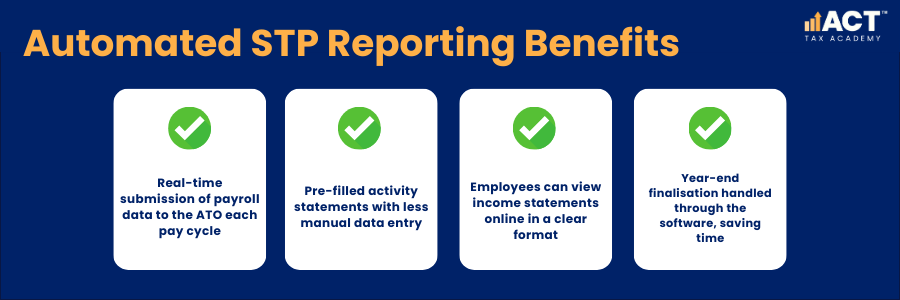
STP-enabled payroll software automates your reporting obligations to the ATO, sending employee wage, tax, and superannuation information each pay cycle. This removes the need for separate payment summaries and reduces manual procedures that often lead to errors.
With automation, you can ensure information is lodged by the correct date and that each pay run meets your STP obligations. Using compliant systems forms an important part of your duty as an employer to apply the rules correctly, support accurate reporting, and reduce risks to your business.
What Payroll Software Features Should You Look For?
The right payroll software transforms compliance into a straightforward process for any employer or business owner, including those who are self-employed and growing a small team. Look for ATO-certified platforms for Single Touch Payroll Phase 2, which involve more detailed reporting but are handled mostly in the background by the system.
Key features include automated tax updates, superannuation calculations, leave accrual tracking, and direct integration with your accounting and HR systems. Choosing software that also supports work health and safety reporting, or staff onboarding can further simplify your business.
How Can You Automate Superannuation Compliance?
With the superannuation guarantee now at 12% for payments made on or after 1 July 2025, accurate and timely super payments are essential for every employer or business owner.Automated payroll software calculates contributions based on ordinary time earnings and schedules quarterly payments to employee-nominated funds through approved services.
Failing to pay super on time leads to extra forms, interest, and administration charges, which can quickly add up. Automation helps ensure super is paid by the due date, supports your responsibilities to your workers, and shows that you take care of both their financial future and their overall health and wellbeing.
How Does Timesheet Integration Reduce Errors?
Integrating timesheets with your payroll software eliminates manual data entry—one of the biggest sources of payroll errors. When employees clock in and out digitally, their hours flow directly into payroll calculations, supporting accurate wage payments and reducing risks of underpayment.
This is especially useful in a workplace with shift workers, part-time staff, or different job roles with varied pay rates. Automated timesheet systems apply correct penalty rates and loadings, and they provide clear records that you can consult if questions or disputes happen later.
What Are the Key Dates and Deadlines to Automate?
Missing payroll deadlines can result in penalties and extra work for your team. Setting up reminders within your systems helps you track each important date and ensure all obligations are met on time.
| Obligation | Deadline |
|---|---|
| STP reporting | Each pay day |
| PAYG withholding | 21st of following month |
| Superannuation payments | 28th day after the end of each quarter |
| STP finalisation | 14 July each year |
| BAS lodgement | Monthly or quarterly as required |
Automating payments and lodgements where possible means you do not have to rely on a single staff member remembering each form or due date, reducing the chance of something being missed.
How Do You Avoid Common Payroll Mistakes with Automation?
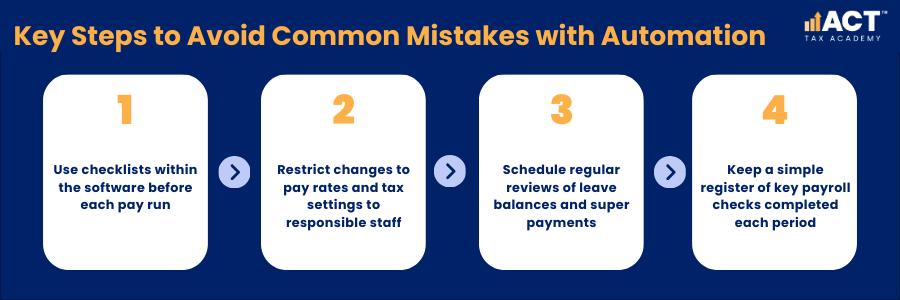
The most frequent payroll errors include misclassifying employees, missing super contributions, incorrect tax, and late reports. Automated systems apply the same procedures each time, helping you maintain consistency and meet your legal obligations.
When payroll is linked to clear instruction and training for staff, the chances of errors drop further. Providing supervision around timesheet approval, leave requests, and changes to employee details adds another layer of care and helps ensure your responsibilities as an employer are met.
What Records Should Your System Keep Automatically?
Your payroll system should automatically create and store key records that relate to pay, tax, and entitlements. This includes payslips, hours worked, tax withheld, superannuation contributions, and leave taken for each employee.
Good record-keeping also supports workplace health and safety by showing that workers are paid correctly for their time and that appropriate breaks and leave are being taken. Storing records securely in the cloud helps protect employee health information, financial details, and any other sensitive data that forms part of your payroll files.
How Does Payroll Automation Support Workplace Health and Safety?
While payroll focuses on money, it also supports a safe and healthy work environment. Paying staff correctly and on time reduces stress, supports mental health, and shows that you value the work your employees do each day.
Automation can also link to systems that track training, licences, and qualifications, helping you ensure employees are properly trained to use equipment and machinery. When you maintain up-to-date records of training and supervision, you strengthen both work health and safety outcomes and your overall compliance position.
How Can You Implement Payroll Automation Successfully?
Starting with automation does not need to be complicated or stressful. Begin by selecting software that fits your business size, industry, and existing systems, then consult your accountant or advisor to assist with setup and data migration.
Plan simple procedures for how staff will submit timesheets, update details, and request leave so everyone knows what to do. Offering short training sessions, recorded videos, or a quick chat with key staff can make it easier for them to learn and apply the new processes in their daily work.

Conclusion
We understand that setting up payroll automation can feel daunting, especially when you are self-employed or managing a growing team. Our team at ACT Tax Academy is here to support employers and business owners with practical services that make payroll smoother and more reliable.
Whether you need assistance choosing software, configuring your systems, or reviewing your pay and super processes, we can assist with tailored advice. Together, we can help you ensure your payroll is accurate, your employer responsibilities are met, and your workplace remains a safe, supportive environment for your staff and visitors.
Ready to simplify your payroll and reduce risks? Contact our team today to chat about how we can help you implement automation that fits your business, supports your people, and keeps you up to date with your obligations.